Model Conversion
How to accelerate your model on ARTPEC-7
-
Before you begin, read the Optimization Tips for information that is useful for the following steps.
-
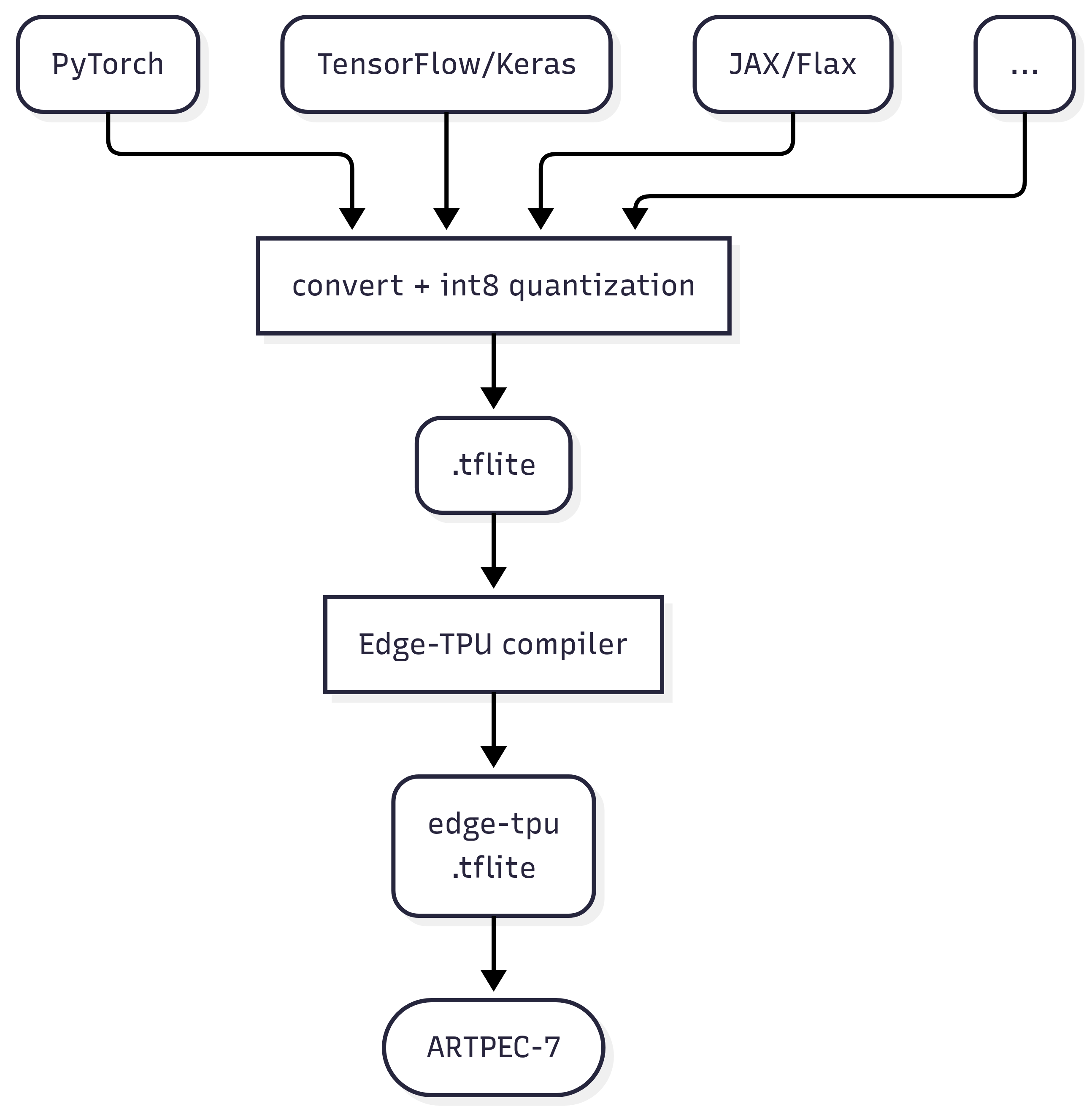
Train your model using the framework of your choice. Common options are PyTorch or TensorFlow.
-
Quantize (int8/uint8) and export your trained model to the .tflite format. How you do this depends on the framework you use. We provide guides for PyTorch and TensorFlow:
PyTorch-to-tflite
TensorFlow-to-tflite -
Use the Edge-TPU compiler to compile the .tflite model to an edge-tpu .tflite model. Refer to the documentation for how to do this.
-
Run the edge-tpu .tflite model on your device. Example test run:
larod-client -g <my-model>.tflite -c google-edge-tpu-tflite -i ""More info here
Note that not all ARTPEC-7 devices has an Edge-TPU. For devices without an Edge-TPU, you could possibly run the regular .tflite model (skip step 3), on the GPU or the CPU. The model will however run slower than it would on an Edge-TPU.
larod-client -g <my-model>.tflite -c axis-a7-gpu-tflite -i ""
larod-client -g <my-model>.tflite -c cpu-tflite -i ""
Flowchart